
.svg?fit=max&auto=format&n=XmT0L6B5SeC_y0ib&q=85&s=bab7c73944d030da24d76906d84af46f)
Start the Playground
The Playground comes with the tunnel. Start it with the--tunnel flag (or toggle Tunnel in the DevTools header):
/try (e.g., https://cool-marmot-fondue-420.alpic.dev/try). Anyone with the link can open it from any browser and chat with your app.
Exercise the Model Loop
With a model in the loop, the prompt surface and the state sync become testable: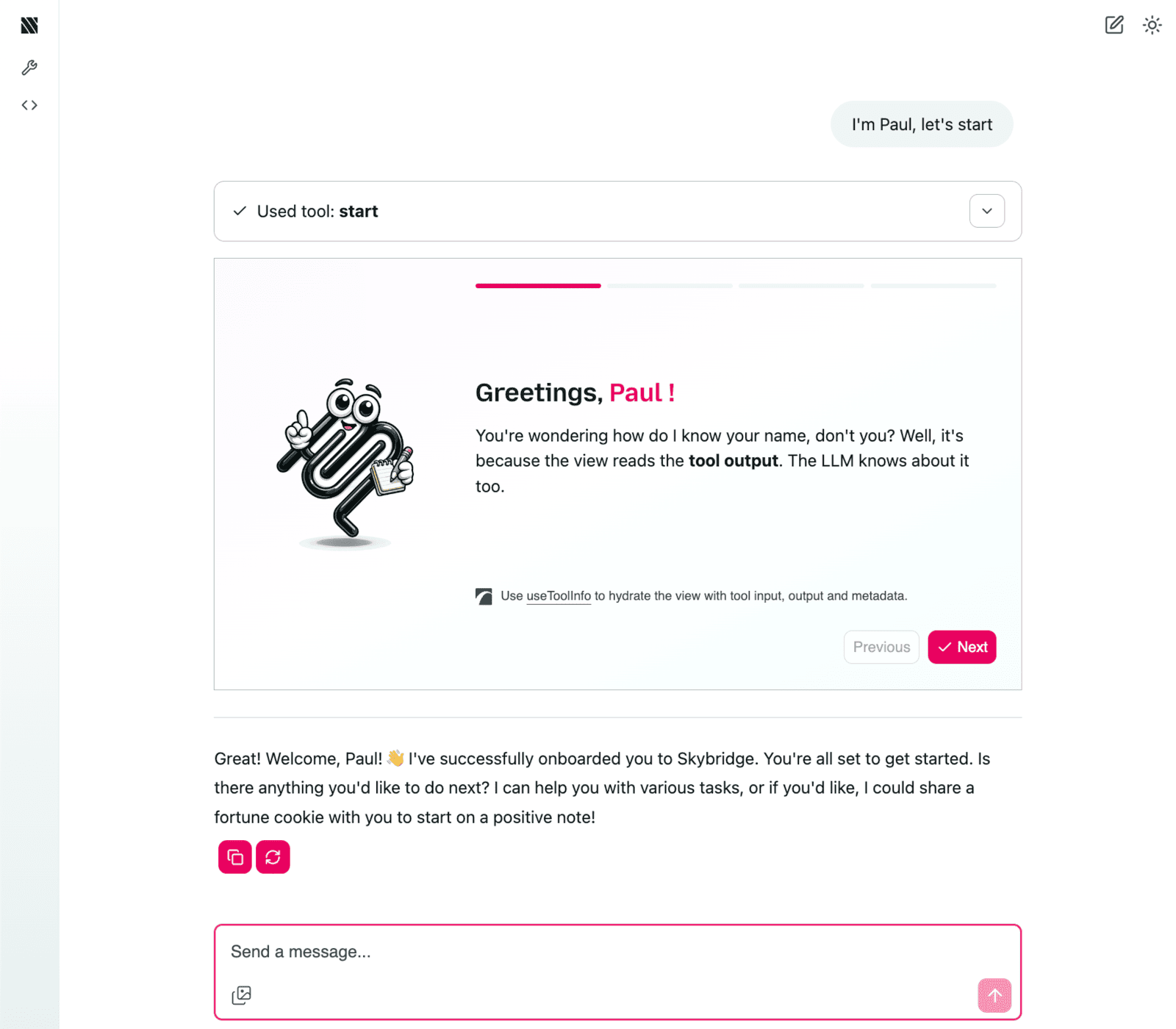
The Playground interface
- Tool selection: assess what the model understands from your tool names and descriptions.
- Argument filling: check how it fills inputs from your schemas.
- Narration: see how it presents your tool outputs in the conversation.
- State: verify what it picks up from the view state on its next turn.
Limitations
- Host specifics (model behavior, state push policies, view feature support) still need a real host: connect your app to ChatGPT and Claude using the tunnel.
- The playground runs on Alpic: check the host compatibility matrix for which hooks it supports.
Go Further
DevTools
Call tools and render views locally, without a host
Tunnel
Expose your local server to real hosts
Audit
Catch spec and platform issues before submission