
.svg?fit=max&auto=format&n=XmT0L6B5SeC_y0ib&q=85&s=bab7c73944d030da24d76906d84af46f)
Run the Audit
The Audit needs your server publicly reachable: start the tunnel, then click Audit in the DevTools header.The Audit is powered by Alpic Beacon. It can also be launched from beacon.alpic.ai with your server’s public URL, or via the Alpic CLI.
What It Checks
- MCP protocol: tool and resource conformance with the official specification.
- MCP Apps: view resource requirements (metadata, Content Security Policy, annotations) for both ChatGPT and Claude.
- Platform requirements: each platform’s own submission guidelines.
- App behavior: the app actually works, verified by triggering tools and rendering views in real ChatGPT and Claude conversations.
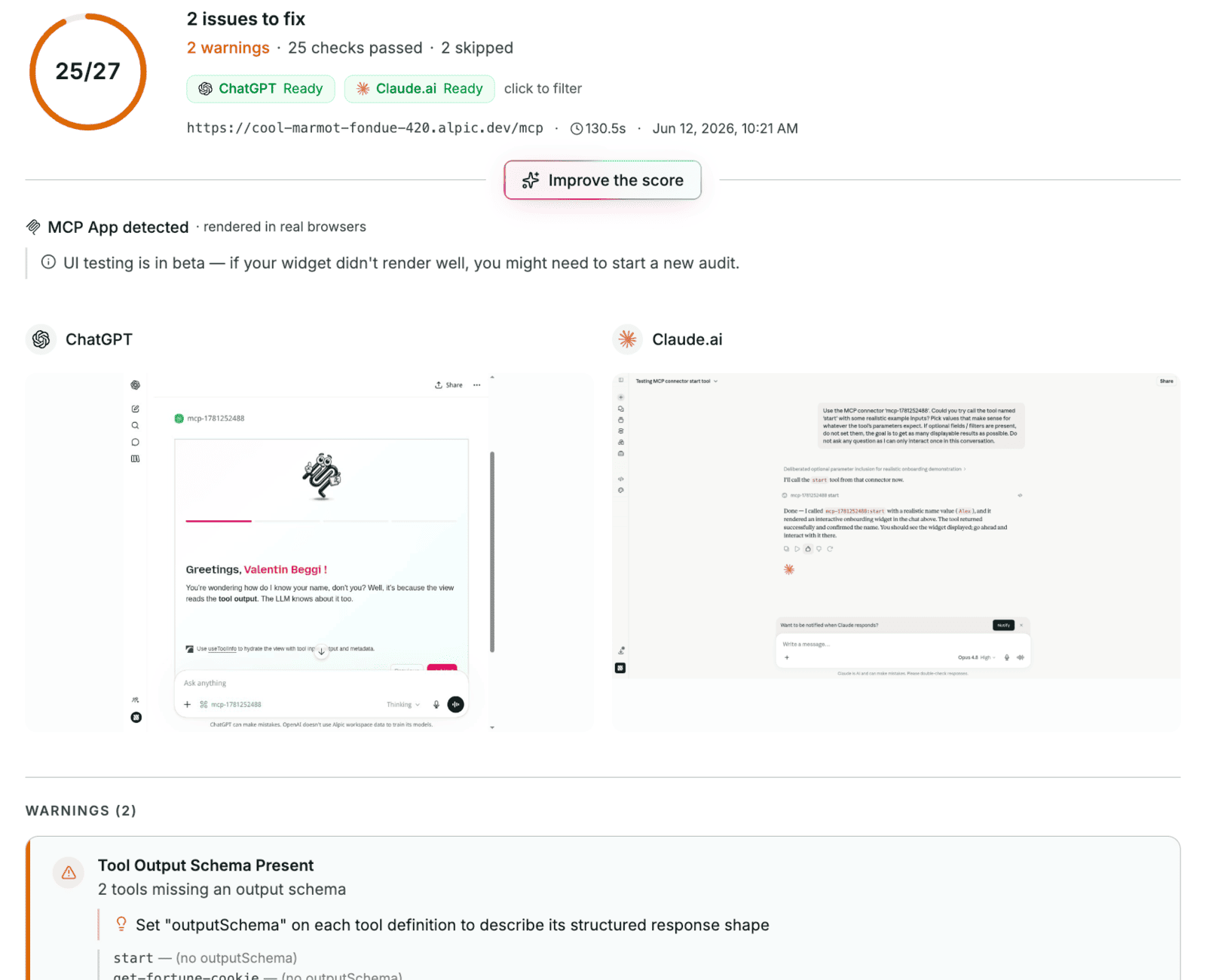
The Audit interface
Limitation
OAuth-protected servers aren’t supported yet.Go Further
DevTools
Call tools and render views locally, without a host
Tunnel
Expose your local server to real hosts
Playground
Chat with a real model running your app